- バックアップ取得
- PHP 互換性チェック
- PHP アップデート
バックアップ取得
こちらのページの「データベースとファイルのバックアップ」のステップをそのまま行いました。
PHP 互換性チェック
WordPress の案内記事で書かれていた PHP Compatibility Checker で行いました。
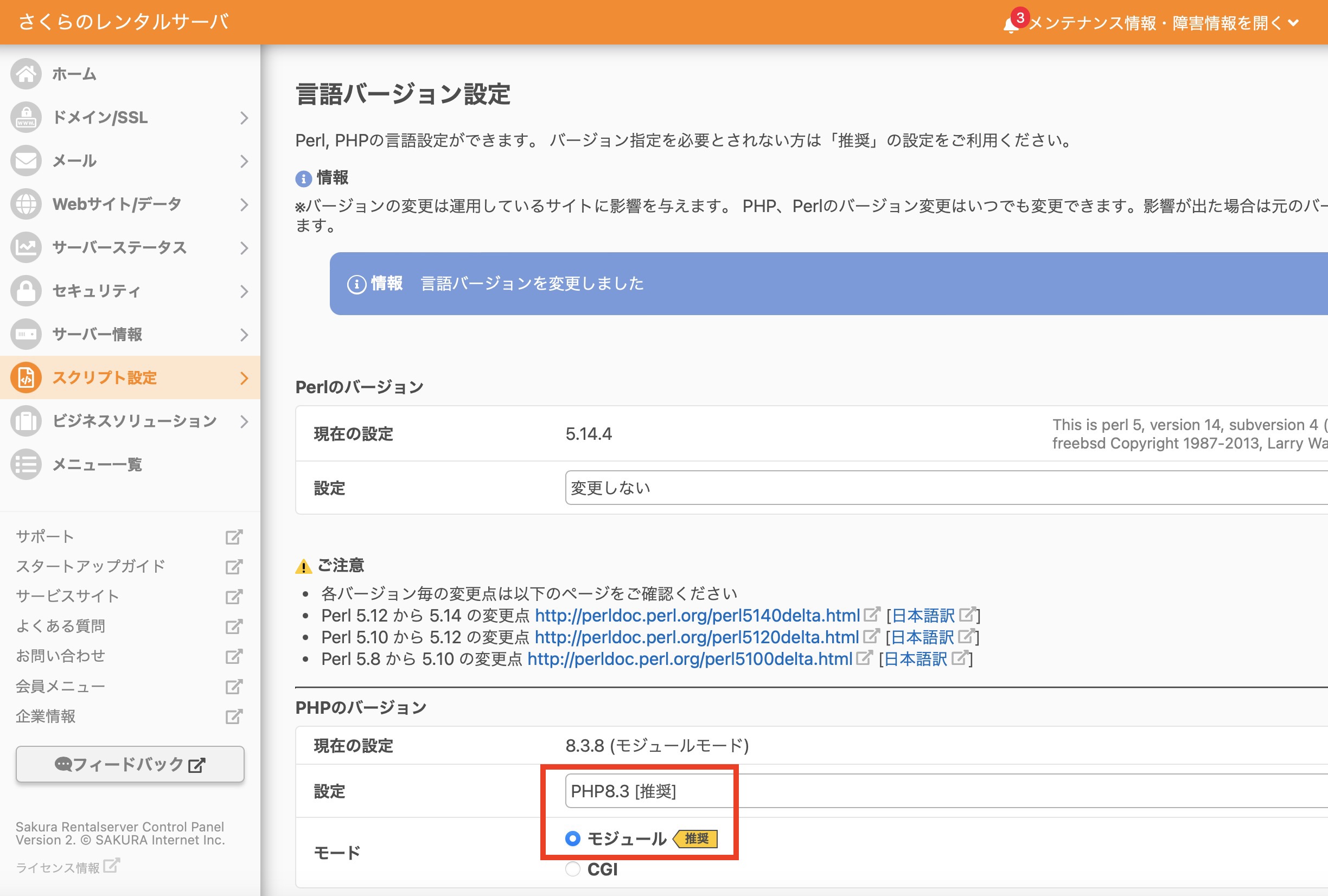
PHP アップデート
さくらのレンタルサーバのコントロールパネル > スクリプト設定 > 言語のバージョン設定

Random Notes
こちらのページの「データベースとファイルのバックアップ」のステップをそのまま行いました。
WordPress の案内記事で書かれていた PHP Compatibility Checker で行いました。
さくらのレンタルサーバのコントロールパネル > スクリプト設定 > 言語のバージョン設定
% pip install mysqlclient
Collecting mysqlclient
  Downloading mysqlclient-2.2.7.tar.gz (91 kB)
  Installing build dependencies ... done
  Getting requirements to build wheel ... error
  error: subprocess-exited-with-error

  × Getting requirements to build wheel did not run successfully.
  │ exit code: 1
  ╰─> [30 lines of output]
      /bin/sh: pkg-config: command not found
      /bin/sh: pkg-config: command not found
      /bin/sh: pkg-config: command not found
      /bin/sh: pkg-config: command not found
      Trying pkg-config --exists mysqlclient
      Command 'pkg-config --exists mysqlclient' returned non-zero exit status 127.
      Trying pkg-config --exists mariadb
      Command 'pkg-config --exists mariadb' returned non-zero exit status 127.
      Trying pkg-config --exists libmariadb
      Command 'pkg-config --exists libmariadb' returned non-zero exit status 127.
      Trying pkg-config --exists perconaserverclient
      Command 'pkg-config --exists perconaserverclient' returned non-zero exit status 127.
      Traceback (most recent call last):
        File "/Users/ユーザー名/PythonProjects/yahoonews_scraper/lib/python3.8/site-packages/pip/_vendor/pyproject_hooks/_in_process/_in_process.py", line 389, in <module>
          main()
        File "/Users/ユーザー名/PythonProjects/yahoonews_scraper/lib/python3.8/site-packages/pip/_vendor/pyproject_hooks/_in_process/_in_process.py", line 373, in main
          json_out["return_val"] = hook(**hook_input["kwargs"])
        File "/Users/ユーザー名/PythonProjects/yahoonews_scraper/lib/python3.8/site-packages/pip/_vendor/pyproject_hooks/_in_process/_in_process.py", line 143, in get_requires_for_build_wheel
          return hook(config_settings)
        File "/private/var/folders/zs/f04s_hhx3s73djbc3h9cvyn40000gn/T/pip-build-env-ost_1kt5/overlay/lib/python3.8/site-packages/setuptools/build_meta.py", line 333, in get_requires_for_build_wheel
          return self._get_build_requires(config_settings, requirements=[])
        File "/private/var/folders/zs/f04s_hhx3s73djbc3h9cvyn40000gn/T/pip-build-env-ost_1kt5/overlay/lib/python3.8/site-packages/setuptools/build_meta.py", line 303, in _get_build_requires
          self.run_setup()
        File "/private/var/folders/zs/f04s_hhx3s73djbc3h9cvyn40000gn/T/pip-build-env-ost_1kt5/overlay/lib/python3.8/site-packages/setuptools/build_meta.py", line 319, in run_setup
          exec(code, locals())
        File "<string>", line 156, in <module>
        File "<string>", line 49, in get_config_posix
        File "<string>", line 28, in find_package_name
      Exception: Can not find valid pkg-config name.
      Specify MYSQLCLIENT_CFLAGS and MYSQLCLIENT_LDFLAGS env vars manually
      [end of output]

  note: This error originates from a subprocess, and is likely not a problem with pip.
error: subprocess-exited-with-error

× Getting requirements to build wheel did not run successfully.
│ exit code: 1
╰─> See above for output.

note: This error originates from a subprocess, and is likely not a problem with pip.
% brew install pkg-config
==> Auto-updating Homebrew...
Adjust how often this is run with HOMEBREW_AUTO_UPDATE_SECS or disable with
HOMEBREW_NO_AUTO_UPDATE. Hide these hints with HOMEBREW_NO_ENV_HINTS (see `man brew`).
==> Auto-updated Homebrew!
Updated 3 taps (homebrew/services, homebrew/core and homebrew/cask).
==> New Formulae
babelfish       redocly-cli     umka-lang       xlsclients      xwininfo
ludusavi        sdl3            xeyes           xprop
==> New Casks
dana-dex                   font-maple-mono-nf-cn      startupfolder
dockfix                    imaging-edge-webcam        valhalla-freq-echo
flashspace                 linearmouse@beta           valhalla-space-modulator
font-maple-mono-cn         muteme

You have 1 outdated cask installed.

==> Downloading https://ghcr.io/v2/homebrew/core/pkgconf/manifests/2.3.0_1-1
######################################################################### 100.0%
==> Fetching pkgconf
==> Downloading https://ghcr.io/v2/homebrew/core/pkgconf/blobs/sha256:fb3a6a6fcb
######################################################################### 100.0%
==> Pouring pkgconf--2.3.0_1.sonoma.bottle.1.tar.gz
🍺  /usr/local/Cellar/pkgconf/2.3.0_1: 27 files, 328.6KB
==> Running `brew cleanup pkgconf`...
Disable this behaviour by setting HOMEBREW_NO_INSTALL_CLEANUP.
Hide these hints with HOMEBREW_NO_ENV_HINTS (see `man brew`).
%
% pip install mysqlclient
Collecting mysqlclient
  Using cached mysqlclient-2.2.7.tar.gz (91 kB)
  Installing build dependencies ... done
  Getting requirements to build wheel ... done
  Preparing metadata (pyproject.toml) ... done
Building wheels for collected packages: mysqlclient
  Building wheel for mysqlclient (pyproject.toml) ... done
  Created wheel for mysqlclient: filename=mysqlclient-2.2.7-cp38-cp38-macosx_10_9_x86_64.whl size=75920 sha256=dfb71baa06f2124c94179a921f590419fe72775f3da899f8adc1261117cdb701
  Stored in directory: /Users/ユーザー名/Library/Caches/pip/wheels/5b/ed/4f/23fd3001b8c8e25f152c11a3952754ca29b5d5f254b6213056
Successfully built mysqlclient
Installing collected packages: mysqlclient
Successfully installed mysqlclient-2.2.7
%
発生したエラーは下記の通り。
% npx create-react-app my-new-app

Creating a new React app in /Users/username/React/my-new-app.

Installing packages. This might take a couple of minutes.
Installing react, react-dom, and react-scripts with cra-template...


added 1324 packages in 16s

268 packages are looking for funding
  run `npm fund` for details

Initialized a git repository.

Installing template dependencies using npm...
npm error code ERESOLVE
npm error ERESOLVE unable to resolve dependency tree
npm error
npm error While resolving: my-new-app@0.1.0
npm error Found: react@19.0.0
npm error node_modules/react
npm error   react@"^19.0.0" from the root project
npm error
npm error Could not resolve dependency:
npm error peer react@"^18.0.0" from @testing-library/react@13.4.0
npm error node_modules/@testing-library/react
npm error   @testing-library/react@"^13.0.0" from the root project
npm error
npm error Fix the upstream dependency conflict, or retry
npm error this command with --force or --legacy-peer-deps
npm error to accept an incorrect (and potentially broken) dependency resolution.
npm error
npm error
npm error For a full report see:
npm error /Users/username/.npm/_logs/2025-01-26T21_38_14_756Z-eresolve-report.txt
npm error A complete log of this run can be found in: /Users/username/.npm/_logs/2025-01-26T21_38_14_756Z-debug-0.log
`npm install --no-audit --save @testing-library/jest-dom@^5.14.1 @testing-library/react@^13.0.0 @testing-library/user-event@^13.2.1 web-vitals@^2.1.0` failed
エラーの内容としては、依存関係の解決に失敗したとのこと。
一番下の部分で「npm install --no-audit --save @testing-library/jest-dom@^5.14.1 @testing-library/react@^13.0.0 @testing-library/user-event@^13.2.1 web-vitals@^2.1.0」というコマンドが失敗したと記述があります。
後でこの「npm install --no-audit --save @testing-library/jest-dom@^5.14.1 @testing-library/react@^13.0.0 @testing-library/user-event@^13.2.1 web-vitals@^2.1.0」の部分を再実行します。
途中まで作成された my-new-app ディレクトリに入り、package.json ファイルを修正します。
# package.json

"dependencies": {
    "cra-template": "1.2.0",
    "react": "^19.0.0",
    "react-dom": "^19.0.0",
    "react-scripts": "5.0.1"
  },
上記のように dependencies となっている中の「19.0.0」を「18.0.0」に変更します。
# package.json

"dependencies": {
    "cra-template": "1.2.0",
    "react": "^18.0.0",
    "react-dom": "^18.0.0",
    "react-scripts": "5.0.1"
  },
これでファイルを保存します。
ターミナル上でも「my-new-app」ディレクトリに移動し、先ほど失敗していた「npm install –no-audit –save @testing-library/jest-dom@^5.14.1 @testing-library/react@^13.0.0 @testing-library/user-event@^13.2.1 web-vitals@^2.1.0」を実行します。
% cd my-new-app
% npm install --no-audit --save @testing-library/jest-dom@^5.14.1 @testing-library/react@^13.0.0 @testing-library/user-event@^13.2.1 web-vitals@^2.1.0

added 47 packages, and changed 4 packages in 6s

272 packages are looking for funding
  run `npm fund` for details
特にエラーは起きませんでした。
react を起動します。
% npm start
Compiled successfully!

You can now view my-new-app in the browser.

  Local:            http://localhost:3000
  On Your Network:  http://192.168.1.9:3000

Note that the development build is not optimized.
To create a production build, use npm run build.

webpack compiled successfully
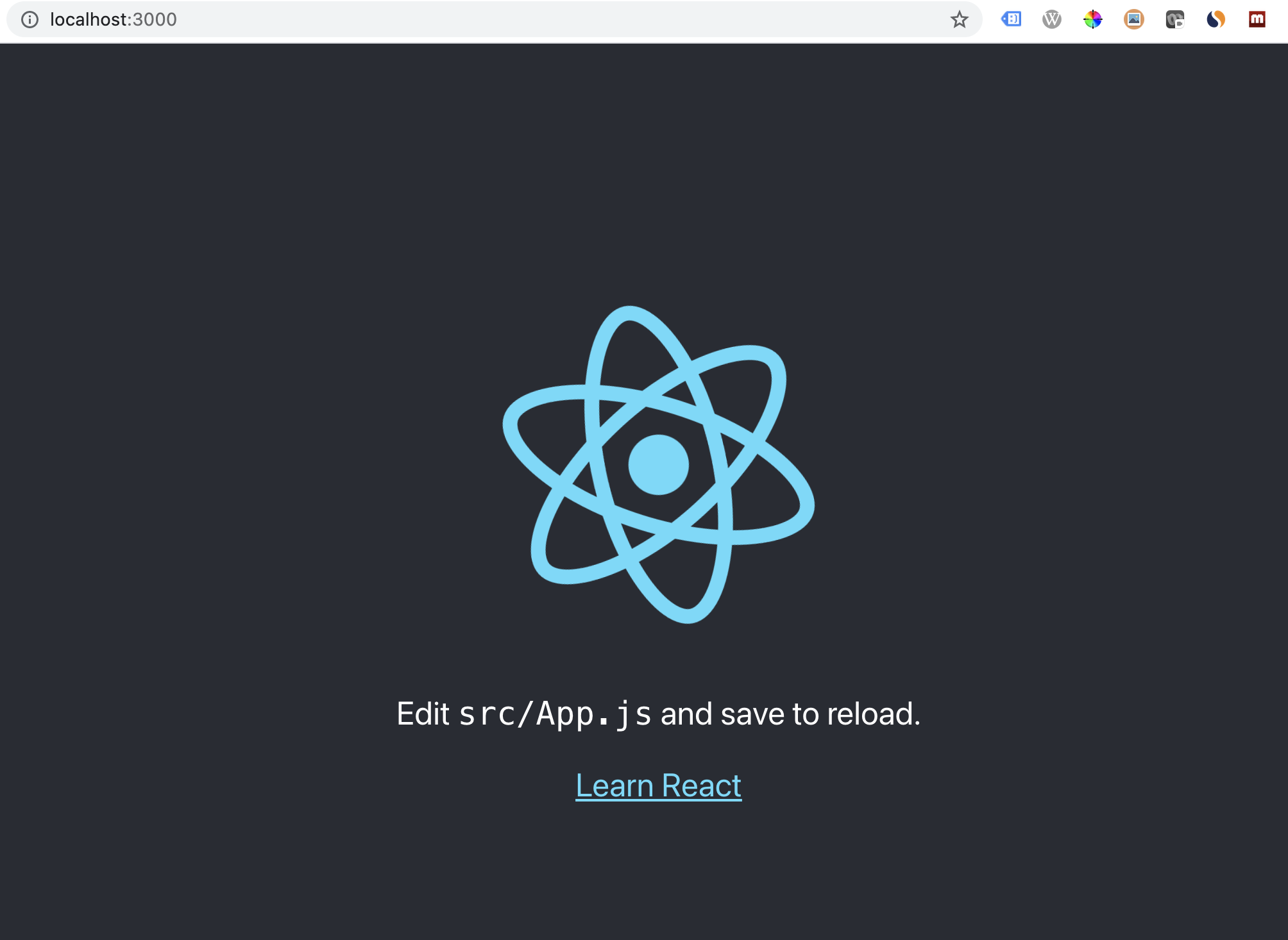
無事に起動できました。
とりあえず必要なファイルは三種類。init.sql、.env、そして Dockerfile です。
3つとも同じディレクトリに配置します。
ls -a
.                       ..			.env                    Dockerfile              init.sql
--init.sql

CREATE DATABASE IF NOT EXISTS buzzing;
USE buzzing;

CREATE TABLE IF NOT EXISTS `yt_mst_cnl` (
  `channel_id` varchar(40) NOT NULL,
  `channel_name` tinytext,
  `description` text,
  `thumbnail` text,
  `uploads_list` varchar(40) DEFAULT NULL,
  `published_at` date DEFAULT NULL,
  `data_update_date` date DEFAULT NULL,
  PRIMARY KEY (`channel_id`),
  KEY `idx_published_at` (`published_at`)
) ENGINE=InnoDB DEFAULT CHARSET=utf8mb4 COLLATE=utf8mb4_0900_ai_ci;

CREATE TABLE IF NOT EXISTS `yt_mst_vid` (
  `video_id` varchar(20) NOT NULL,
  `video_name` text,
  `description` text,
  `thumbnail` text,
  `channel_id` varchar(40) DEFAULT NULL,
  `published_at` varchar(8) DEFAULT NULL,
  `data_update_date` varchar(8) DEFAULT NULL,
  PRIMARY KEY (`video_id`),
  KEY `fk_channel` (`channel_id`),
  KEY `idx_published_at` (`published_at`),
  CONSTRAINT `fk_channel` FOREIGN KEY (`channel_id`) REFERENCES `yt_mst_cnl` (`channel_id`)
) ENGINE=InnoDB DEFAULT CHARSET=utf8mb4 COLLATE=utf8mb4_0900_ai_ci;

CREATE TABLE IF NOT EXISTS `yt_pfm_cnl` (
  `channel_id` varchar(40) DEFAULT NULL,
  `subscriber_count` bigint DEFAULT NULL,
  `hidden_subscriber_count` varchar(1) DEFAULT NULL,
  `view_count` bigint DEFAULT NULL,
  `video_count` int DEFAULT NULL,
  `data_date` varchar(8) DEFAULT NULL,
  KEY `fk_channel_pfm` (`channel_id`),
  CONSTRAINT `fk_channel_pfm` FOREIGN KEY (`channel_id`) REFERENCES `yt_mst_cnl` (`channel_id`)
) ENGINE=InnoDB DEFAULT CHARSET=utf8mb4 COLLATE=utf8mb4_0900_ai_ci;

CREATE TABLE IF NOT EXISTS `yt_pfm_vid` (
  `video_id` varchar(20) DEFAULT NULL,
  `view_count` bigint DEFAULT NULL,
  `like_count` int DEFAULT NULL,
  `dislike_count` int DEFAULT NULL,
  `favorite_count` int DEFAULT NULL,
  `comment_count` int DEFAULT NULL,
  `most_used_words` text,
  `data_date` varchar(8) DEFAULT NULL,
  KEY `fk_video_pfm` (`video_id`),
  CONSTRAINT `fk_video_pfm` FOREIGN KEY (`video_id`) REFERENCES `yt_mst_vid` (`video_id`)
) ENGINE=InnoDB DEFAULT CHARSET=utf8mb4 COLLATE=utf8mb4_0900_ai_ci;

CREATE TABLE IF NOT EXISTS `yt_analysis_07` (
  `channel_id` varchar(40) DEFAULT NULL,
  `channel_name` tinytext,
  `view_count` bigint DEFAULT NULL,
  `like_count` int DEFAULT NULL,
  `dislike_count` int DEFAULT NULL,
  `favorite_count` int DEFAULT NULL,
  `comment_count` int DEFAULT NULL,
  `video_count` int DEFAULT NULL
) ENGINE=InnoDB DEFAULT CHARSET=utf8mb4 COLLATE=utf8mb4_0900_ai_ci;

DROP PROCEDURE IF EXISTS `buzzing`.`yt_analysis_07`;
DELIMITER //
CREATE PROCEDURE `buzzing`.`yt_analysis_07`(IN published_after VARCHAR(8))
BEGIN
    -- truncate the yt_analysis_07 table
    TRUNCATE TABLE yt_analysis_07;

    -- insert data into the yt_analysis_07 table
    INSERT INTO yt_analysis_07
    SELECT
        channel_id,
        channel_name,
        view_count,
        like_count,
        dislike_count,
        favorite_count,
        comment_count,
        video_count
    FROM (
        SELECT
            B.channel_id AS channel_id,
            MAX(C.channel_name) AS channel_name,
            SUM(A.view_count) AS view_count,
            SUM(A.like_count) AS like_count,
            SUM(A.dislike_count) AS dislike_count,
            SUM(A.favorite_count) AS favorite_count,
            SUM(A.comment_count) AS comment_count,
            COUNT(*) AS video_count
        FROM yt_pfm_vid A
        LEFT JOIN yt_mst_vid B ON A.video_id = B.video_id
        LEFT JOIN (
            SELECT channel_id, MAX(channel_name) AS channel_name FROM yt_mst_cnl GROUP BY channel_id
        ) C ON B.channel_id = C.channel_id
        WHERE B.published_at >= @published_after
        GROUP BY channel_id
    ) T1
    ORDER BY view_count DESC;
    COMMIT;
END //
DELIMITER ;
MYSQL_ROOT_PASSWORD=rootpassword
MYSQL_USER=admin
MYSQL_PASSWORD=password
MYSQL_DATABASE=buzzing
# Dockerfile

FROM mysql

ADD init.sql /docker-entrypoint-initdb.d
% docker build -t docker_mysql:1.0 .
% docker run --env-file .env --name docker_mysql -p 13306:3306 -it -d docker_mysql:1.0
% docker exec -it docker_mysql bash
bash-4.4#
bash-4.4# mysql -u admin -p
Enter password:
mysql>
mysql> use buzzing;
mysql> show tables;
+-------------------+
| Tables_in_buzzing |
+-------------------+
| yt_analysis_07    |
| yt_mst_cnl        |
| yt_mst_vid        |
| yt_pfm_cnl        |
| yt_pfm_vid        |
+-------------------+
5 rows in set (0.00 sec)
mysql> call buzzing.yt_analysis_07('20230101');
Query OK, 0 rows affected (0.03 sec)
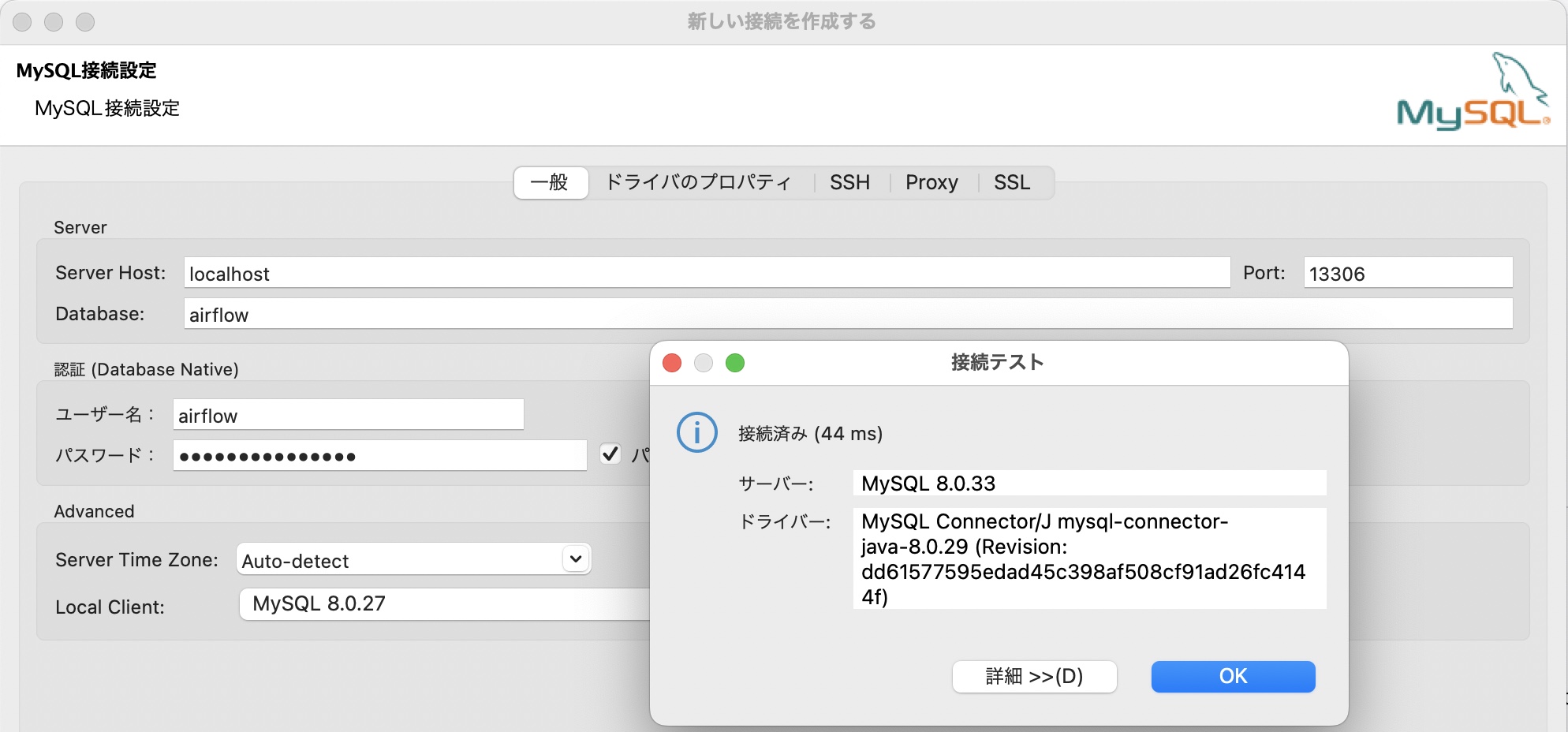
ちなみに DBeaver でもポート 13306 を通して接続できました。
Apache Airflow 公式サイトから取得できいる docker-compose.yaml はメタデータ用のデータベースに posgresql を使っているのですが、MySQL で立ち上げられる様に変更してみました。
これはその時の備忘録です。
公式サイトのリンクから YAML ファイルを取得
% mkdir docker_airflow
% cd docker_airflow
% mkdir -p ./dags ./logs ./plugins ./config

% curl -LfO 'https://airflow.apache.org/docs/apache-airflow/2.6.1/docker-compose.yaml'
中身がこれ(2023 年 5 月時点)
version: '3.8'
x-airflow-common:
  &airflow-common
  # In order to add custom dependencies or upgrade provider packages you can use your extended image.
  # Comment the image line, place your Dockerfile in the directory where you placed the docker-compose.yaml
  # and uncomment the "build" line below, Then run `docker-compose build` to build the images.
  image: ${AIRFLOW_IMAGE_NAME:-apache/airflow:2.6.1}
  # build: .
  environment:
    &airflow-common-env
    AIRFLOW__CORE__EXECUTOR: CeleryExecutor
    AIRFLOW__DATABASE__SQL_ALCHEMY_CONN: postgresql+psycopg2://airflow:airflow@postgres/airflow
    # For backward compatibility, with Airflow <2.3
    AIRFLOW__CORE__SQL_ALCHEMY_CONN: postgresql+psycopg2://airflow:airflow@postgres/airflow
    AIRFLOW__CELERY__RESULT_BACKEND: db+postgresql://airflow:airflow@postgres/airflow
    AIRFLOW__CELERY__BROKER_URL: redis://:@redis:6379/0
    AIRFLOW__CORE__FERNET_KEY: ''
    AIRFLOW__CORE__DAGS_ARE_PAUSED_AT_CREATION: 'true'
    AIRFLOW__CORE__LOAD_EXAMPLES: 'true'
    AIRFLOW__API__AUTH_BACKENDS: 'airflow.api.auth.backend.basic_auth,airflow.api.auth.backend.session'
    # yamllint disable rule:line-length
    # Use simple http server on scheduler for health checks
    # See https://airflow.apache.org/docs/apache-airflow/stable/administration-and-deployment/logging-monitoring/check-health.html#scheduler-health-check-server
    # yamllint enable rule:line-length
    AIRFLOW__SCHEDULER__ENABLE_HEALTH_CHECK: 'true'
    # WARNING: Use _PIP_ADDITIONAL_REQUIREMENTS option ONLY for a quick checks
    # for other purpose (development, test and especially production usage) build/extend Airflow image.
    _PIP_ADDITIONAL_REQUIREMENTS: ${_PIP_ADDITIONAL_REQUIREMENTS:-}
  volumes:
    - ${AIRFLOW_PROJ_DIR:-.}/dags:/opt/airflow/dags
    - ${AIRFLOW_PROJ_DIR:-.}/logs:/opt/airflow/logs
    - ${AIRFLOW_PROJ_DIR:-.}/config:/opt/airflow/config
    - ${AIRFLOW_PROJ_DIR:-.}/plugins:/opt/airflow/plugins
  user: "${AIRFLOW_UID:-50000}:0"
  depends_on:
    &airflow-common-depends-on
    redis:
      condition: service_healthy
    postgres:
      condition: service_healthy

services:
  postgres:
    image: postgres:13
    environment:
      POSTGRES_USER: airflow
      POSTGRES_PASSWORD: airflow
      POSTGRES_DB: airflow
    volumes:
      - postgres-db-volume:/var/lib/postgresql/data
    healthcheck:
      test: ["CMD", "pg_isready", "-U", "airflow"]
      interval: 10s
      retries: 5
      start_period: 5s
    restart: always

  redis:
    image: redis:latest
    expose:
      - 6379
    healthcheck:
      test: ["CMD", "redis-cli", "ping"]
      interval: 10s
      timeout: 30s
      retries: 50
      start_period: 30s
    restart: always

  airflow-webserver:
    <<: *airflow-common
    command: webserver
    ports:
      - "8080:8080"
    healthcheck:
      test: ["CMD", "curl", "--fail", "http://localhost:8080/health"]
      interval: 30s
      timeout: 10s
      retries: 5
      start_period: 30s
    restart: always
    depends_on:
      <<: *airflow-common-depends-on
      airflow-init:
        condition: service_completed_successfully

  airflow-scheduler:
    <<: *airflow-common
    command: scheduler
    healthcheck:
      test: ["CMD", "curl", "--fail", "http://localhost:8974/health"]
      interval: 30s
      timeout: 10s
      retries: 5
      start_period: 30s
    restart: always
    depends_on:
      <<: *airflow-common-depends-on
      airflow-init:
        condition: service_completed_successfully

  airflow-worker:
    <<: *airflow-common
    command: celery worker
    healthcheck:
      test:
        - "CMD-SHELL"
        - 'celery --app airflow.executors.celery_executor.app inspect ping -d "celery@$${HOSTNAME}"'
      interval: 30s
      timeout: 10s
      retries: 5
      start_period: 30s
    environment:
      <<: *airflow-common-env
      # Required to handle warm shutdown of the celery workers properly
      # See https://airflow.apache.org/docs/docker-stack/entrypoint.html#signal-propagation
      DUMB_INIT_SETSID: "0"
    restart: always
    depends_on:
      <<: *airflow-common-depends-on
      airflow-init:
        condition: service_completed_successfully

  airflow-triggerer:
    <<: *airflow-common
    command: triggerer
    healthcheck:
      test: ["CMD-SHELL", 'airflow jobs check --job-type TriggererJob --hostname "$${HOSTNAME}"']
      interval: 30s
      timeout: 10s
      retries: 5
      start_period: 30s
    restart: always
    depends_on:
      <<: *airflow-common-depends-on
      airflow-init:
        condition: service_completed_successfully

  airflow-init:
    <<: *airflow-common
    entrypoint: /bin/bash
    # yamllint disable rule:line-length
    command:
      - -c
      - |
        function ver() {
          printf "%04d%04d%04d%04d" $${1//./ }
        }
        airflow_version=$$(AIRFLOW__LOGGING__LOGGING_LEVEL=INFO && gosu airflow airflow version)
        airflow_version_comparable=$$(ver $${airflow_version})
        min_airflow_version=2.2.0
        min_airflow_version_comparable=$$(ver $${min_airflow_version})
        if (( airflow_version_comparable < min_airflow_version_comparable )); then
          echo
          echo -e "\033[1;31mERROR!!!: Too old Airflow version $${airflow_version}!\e[0m"
          echo "The minimum Airflow version supported: $${min_airflow_version}. Only use this or higher!"
          echo
          exit 1
        fi
        if [[ -z "${AIRFLOW_UID}" ]]; then
          echo
          echo -e "\033[1;33mWARNING!!!: AIRFLOW_UID not set!\e[0m"
          echo "If you are on Linux, you SHOULD follow the instructions below to set "
          echo "AIRFLOW_UID environment variable, otherwise files will be owned by root."
          echo "For other operating systems you can get rid of the warning with manually created .env file:"
          echo "    See: https://airflow.apache.org/docs/apache-airflow/stable/howto/docker-compose/index.html#setting-the-right-airflow-user"
          echo
        fi
        one_meg=1048576
        mem_available=$$(($$(getconf _PHYS_PAGES) * $$(getconf PAGE_SIZE) / one_meg))
        cpus_available=$$(grep -cE 'cpu[0-9]+' /proc/stat)
        disk_available=$$(df / | tail -1 | awk '{print $$4}')
        warning_resources="false"
        if (( mem_available < 4000 )) ; then
          echo
          echo -e "\033[1;33mWARNING!!!: Not enough memory available for Docker.\e[0m"
          echo "At least 4GB of memory required. You have $$(numfmt --to iec $$((mem_available * one_meg)))"
          echo
          warning_resources="true"
        fi
        if (( cpus_available < 2 )); then
          echo
          echo -e "\033[1;33mWARNING!!!: Not enough CPUS available for Docker.\e[0m"
          echo "At least 2 CPUs recommended. You have $${cpus_available}"
          echo
          warning_resources="true"
        fi
        if (( disk_available < one_meg * 10 )); then
          echo
          echo -e "\033[1;33mWARNING!!!: Not enough Disk space available for Docker.\e[0m"
          echo "At least 10 GBs recommended. You have $$(numfmt --to iec $$((disk_available * 1024 )))"
          echo
          warning_resources="true"
        fi
        if [[ $${warning_resources} == "true" ]]; then
          echo
          echo -e "\033[1;33mWARNING!!!: You have not enough resources to run Airflow (see above)!\e[0m"
          echo "Please follow the instructions to increase amount of resources available:"
          echo "   https://airflow.apache.org/docs/apache-airflow/stable/howto/docker-compose/index.html#before-you-begin"
          echo
        fi
        mkdir -p /sources/logs /sources/dags /sources/plugins
        chown -R "${AIRFLOW_UID}:0" /sources/{logs,dags,plugins}
        exec /entrypoint airflow version
    # yamllint enable rule:line-length
    environment:
      <<: *airflow-common-env
      _AIRFLOW_DB_UPGRADE: 'true'
      _AIRFLOW_WWW_USER_CREATE: 'true'
      _AIRFLOW_WWW_USER_USERNAME: ${_AIRFLOW_WWW_USER_USERNAME:-airflow}
      _AIRFLOW_WWW_USER_PASSWORD: ${_AIRFLOW_WWW_USER_PASSWORD:-airflow}
      _PIP_ADDITIONAL_REQUIREMENTS: ''
    user: "0:0"
    volumes:
      - ${AIRFLOW_PROJ_DIR:-.}:/sources

  airflow-cli:
    <<: *airflow-common
    profiles:
      - debug
    environment:
      <<: *airflow-common-env
      CONNECTION_CHECK_MAX_COUNT: "0"
    # Workaround for entrypoint issue. See: https://github.com/apache/airflow/issues/16252
    command:
      - bash
      - -c
      - airflow

  # You can enable flower by adding "--profile flower" option e.g. docker-compose --profile flower up
  # or by explicitly targeted on the command line e.g. docker-compose up flower.
  # See: https://docs.docker.com/compose/profiles/
  flower:
    <<: *airflow-common
    command: celery flower
    profiles:
      - flower
    ports:
      - "5555:5555"
    healthcheck:
      test: ["CMD", "curl", "--fail", "http://localhost:5555/"]
      interval: 30s
      timeout: 10s
      retries: 5
      start_period: 30s
    restart: always
    depends_on:
      <<: *airflow-common-depends-on
      airflow-init:
        condition: service_completed_successfully

volumes:
  postgres-db-volume:
不要な部分をコメントアウトしたのがこれ。Celery 関連、Redis関連をコメントアウトしています。
version: '3.8'
x-airflow-common:
  &airflow-common
  # In order to add custom dependencies or upgrade provider packages you can use your extended image.
  # Comment the image line, place your Dockerfile in the directory where you placed the docker-compose.yaml
  # and uncomment the "build" line below, Then run `docker-compose build` to build the images.
  image: ${AIRFLOW_IMAGE_NAME:-apache/airflow:2.6.1}
  # build: .
  environment:
    &airflow-common-env
    AIRFLOW__CORE__EXECUTOR: LocalExecutor
    AIRFLOW__DATABASE__SQL_ALCHEMY_CONN: postgresql+psycopg2://airflow:airflow@postgres/airflow
    # For backward compatibility, with Airflow <2.3
    AIRFLOW__CORE__SQL_ALCHEMY_CONN: postgresql+psycopg2://airflow:airflow@postgres/airflow
    # AIRFLOW__CELERY__RESULT_BACKEND: db+postgresql://airflow:airflow@postgres/airflow
    # AIRFLOW__CELERY__BROKER_URL: redis://:@redis:6379/0
    AIRFLOW__CORE__FERNET_KEY: ''
    AIRFLOW__CORE__DAGS_ARE_PAUSED_AT_CREATION: 'true'
    AIRFLOW__CORE__LOAD_EXAMPLES: 'true'
    AIRFLOW__API__AUTH_BACKENDS: 'airflow.api.auth.backend.basic_auth,airflow.api.auth.backend.session'
    # yamllint disable rule:line-length
    # Use simple http server on scheduler for health checks
    # See https://airflow.apache.org/docs/apache-airflow/stable/administration-and-deployment/logging-monitoring/check-health.html#scheduler-health-check-server
    # yamllint enable rule:line-length
    AIRFLOW__SCHEDULER__ENABLE_HEALTH_CHECK: 'true'
    # WARNING: Use _PIP_ADDITIONAL_REQUIREMENTS option ONLY for a quick checks
    # for other purpose (development, test and especially production usage) build/extend Airflow image.
    _PIP_ADDITIONAL_REQUIREMENTS: ${_PIP_ADDITIONAL_REQUIREMENTS:-}
  volumes:
    - ${AIRFLOW_PROJ_DIR:-.}/dags:/opt/airflow/dags
    - ${AIRFLOW_PROJ_DIR:-.}/logs:/opt/airflow/logs
    - ${AIRFLOW_PROJ_DIR:-.}/config:/opt/airflow/config
    - ${AIRFLOW_PROJ_DIR:-.}/plugins:/opt/airflow/plugins
  user: "${AIRFLOW_UID:-50000}:0"
  depends_on:
    &airflow-common-depends-on
    # redis:
    #   condition: service_healthy
    postgres:
      condition: service_healthy

services:
  postgres:
    image: postgres:13
    environment:
      POSTGRES_USER: airflow
      POSTGRES_PASSWORD: airflow
      POSTGRES_DB: airflow
    volumes:
      - postgres-db-volume:/var/lib/postgresql/data
    healthcheck:
      test: ["CMD", "pg_isready", "-U", "airflow"]
      interval: 10s
      retries: 5
      start_period: 5s
    restart: always

  # redis:
  #   image: redis:latest
  #   expose:
  #     - 6379
  #   healthcheck:
  #     test: ["CMD", "redis-cli", "ping"]
  #     interval: 10s
  #     timeout: 30s
  #     retries: 50
  #     start_period: 30s
  #   restart: always

  airflow-webserver:
    <<: *airflow-common
    command: webserver
    ports:
      - "8080:8080"
    healthcheck:
      test: ["CMD", "curl", "--fail", "http://localhost:8080/health"]
      interval: 30s
      timeout: 10s
      retries: 5
      start_period: 30s
    restart: always
    depends_on:
      <<: *airflow-common-depends-on
      airflow-init:
        condition: service_completed_successfully

  airflow-scheduler:
    <<: *airflow-common
    command: scheduler
    healthcheck:
      test: ["CMD", "curl", "--fail", "http://localhost:8974/health"]
      interval: 30s
      timeout: 10s
      retries: 5
      start_period: 30s
    restart: always
    depends_on:
      <<: *airflow-common-depends-on
      airflow-init:
        condition: service_completed_successfully

  # airflow-worker:
  #   <<: *airflow-common
  #   command: celery worker
  #   healthcheck:
  #     test:
  #       - "CMD-SHELL"
  #       - 'celery --app airflow.executors.celery_executor.app inspect ping -d "celery@$${HOSTNAME}"'
  #     interval: 30s
  #     timeout: 10s
  #     retries: 5
  #     start_period: 30s
  #   environment:
  #     <<: *airflow-common-env
  #     # Required to handle warm shutdown of the celery workers properly
  #     # See https://airflow.apache.org/docs/docker-stack/entrypoint.html#signal-propagation
  #     DUMB_INIT_SETSID: "0"
  #   restart: always
  #   depends_on:
  #     <<: *airflow-common-depends-on
  #     airflow-init:
  #       condition: service_completed_successfully

  airflow-triggerer:
    <<: *airflow-common
    command: triggerer
    healthcheck:
      test: ["CMD-SHELL", 'airflow jobs check --job-type TriggererJob --hostname "$${HOSTNAME}"']
      interval: 30s
      timeout: 10s
      retries: 5
      start_period: 30s
    restart: always
    depends_on:
      <<: *airflow-common-depends-on
      airflow-init:
        condition: service_completed_successfully

  airflow-init:
    <<: *airflow-common
    entrypoint: /bin/bash
    # yamllint disable rule:line-length
    command:
      - -c
      - |
        function ver() {
          printf "%04d%04d%04d%04d" $${1//./ }
        }
        airflow_version=$$(AIRFLOW__LOGGING__LOGGING_LEVEL=INFO && gosu airflow airflow version)
        airflow_version_comparable=$$(ver $${airflow_version})
        min_airflow_version=2.2.0
        min_airflow_version_comparable=$$(ver $${min_airflow_version})
        if (( airflow_version_comparable < min_airflow_version_comparable )); then
          echo
          echo -e "\033[1;31mERROR!!!: Too old Airflow version $${airflow_version}!\e[0m"
          echo "The minimum Airflow version supported: $${min_airflow_version}. Only use this or higher!"
          echo
          exit 1
        fi
        if [[ -z "${AIRFLOW_UID}" ]]; then
          echo
          echo -e "\033[1;33mWARNING!!!: AIRFLOW_UID not set!\e[0m"
          echo "If you are on Linux, you SHOULD follow the instructions below to set "
          echo "AIRFLOW_UID environment variable, otherwise files will be owned by root."
          echo "For other operating systems you can get rid of the warning with manually created .env file:"
          echo "    See: https://airflow.apache.org/docs/apache-airflow/stable/howto/docker-compose/index.html#setting-the-right-airflow-user"
          echo
        fi
        one_meg=1048576
        mem_available=$$(($$(getconf _PHYS_PAGES) * $$(getconf PAGE_SIZE) / one_meg))
        cpus_available=$$(grep -cE 'cpu[0-9]+' /proc/stat)
        disk_available=$$(df / | tail -1 | awk '{print $$4}')
        warning_resources="false"
        if (( mem_available < 4000 )) ; then
          echo
          echo -e "\033[1;33mWARNING!!!: Not enough memory available for Docker.\e[0m"
          echo "At least 4GB of memory required. You have $$(numfmt --to iec $$((mem_available * one_meg)))"
          echo
          warning_resources="true"
        fi
        if (( cpus_available < 2 )); then
          echo
          echo -e "\033[1;33mWARNING!!!: Not enough CPUS available for Docker.\e[0m"
          echo "At least 2 CPUs recommended. You have $${cpus_available}"
          echo
          warning_resources="true"
        fi
        if (( disk_available < one_meg * 10 )); then
          echo
          echo -e "\033[1;33mWARNING!!!: Not enough Disk space available for Docker.\e[0m"
          echo "At least 10 GBs recommended. You have $$(numfmt --to iec $$((disk_available * 1024 )))"
          echo
          warning_resources="true"
        fi
        if [[ $${warning_resources} == "true" ]]; then
          echo
          echo -e "\033[1;33mWARNING!!!: You have not enough resources to run Airflow (see above)!\e[0m"
          echo "Please follow the instructions to increase amount of resources available:"
          echo "   https://airflow.apache.org/docs/apache-airflow/stable/howto/docker-compose/index.html#before-you-begin"
          echo
        fi
        mkdir -p /sources/logs /sources/dags /sources/plugins
        chown -R "${AIRFLOW_UID}:0" /sources/{logs,dags,plugins}
        exec /entrypoint airflow version
    # yamllint enable rule:line-length
    environment:
      <<: *airflow-common-env
      _AIRFLOW_DB_UPGRADE: 'true'
      _AIRFLOW_WWW_USER_CREATE: 'true'
      _AIRFLOW_WWW_USER_USERNAME: ${_AIRFLOW_WWW_USER_USERNAME:-airflow}
      _AIRFLOW_WWW_USER_PASSWORD: ${_AIRFLOW_WWW_USER_PASSWORD:-airflow}
      _PIP_ADDITIONAL_REQUIREMENTS: ''
    user: "0:0"
    volumes:
      - ${AIRFLOW_PROJ_DIR:-.}:/sources

  airflow-cli:
    <<: *airflow-common
    profiles:
      - debug
    environment:
      <<: *airflow-common-env
      CONNECTION_CHECK_MAX_COUNT: "0"
    # Workaround for entrypoint issue. See: https://github.com/apache/airflow/issues/16252
    command:
      - bash
      - -c
      - airflow

  # You can enable flower by adding "--profile flower" option e.g. docker-compose --profile flower up
  # or by explicitly targeted on the command line e.g. docker-compose up flower.
  # See: https://docs.docker.com/compose/profiles/
  # flower:
  #   <<: *airflow-common
  #   command: celery flower
  #   profiles:
  #     - flower
  #   ports:
  #     - "5555:5555"
  #   healthcheck:
  #     test: ["CMD", "curl", "--fail", "http://localhost:5555/"]
  #     interval: 30s
  #     timeout: 10s
  #     retries: 5
  #     start_period: 30s
  #   restart: always
  #   depends_on:
  #     <<: *airflow-common-depends-on
  #     airflow-init:
  #       condition: service_completed_successfully

volumes:
  postgres-db-volume:
% docker-compose up airflow-init
% docker-compose up -d
version: '3.8'
x-airflow-common:
  &airflow-common
  # In order to add custom dependencies or upgrade provider packages you can use your extended image.
  # Comment the image line, place your Dockerfile in the directory where you placed the docker-compose.yaml
  # and uncomment the "build" line below, Then run `docker-compose build` to build the images.
  image: ${AIRFLOW_IMAGE_NAME:-apache/airflow:2.6.1}
  # build: .
  environment:
    &airflow-common-env
    AIRFLOW__CORE__EXECUTOR: LocalExecutor
    # AIRFLOW__DATABASE__SQL_ALCHEMY_CONN: postgresql+psycopg2://airflow:airflow@postgres/airflow
    AIRFLOW__DATABASE__SQL_ALCHEMY_CONN: mysql://airflow:airflowpassword@mysql/airflow
    # For backward compatibility, with Airflow <2.3
    # AIRFLOW__CORE__SQL_ALCHEMY_CONN: postgresql+psycopg2://airflow:airflow@postgres/airflow
    AIRFLOW__CORE__SQL_ALCHEMY_CONN: mysql://airflow:airflowpassword@mysql/airflow
    # AIRFLOW__CELERY__RESULT_BACKEND: db+postgresql://airflow:airflow@postgres/airflow
    # AIRFLOW__CELERY__BROKER_URL: redis://:@redis:6379/0
    AIRFLOW__CORE__FERNET_KEY: ''
    AIRFLOW__CORE__DAGS_ARE_PAUSED_AT_CREATION: 'true'
    AIRFLOW__CORE__LOAD_EXAMPLES: 'true'
    AIRFLOW__API__AUTH_BACKENDS: 'airflow.api.auth.backend.basic_auth,airflow.api.auth.backend.session'
    # yamllint disable rule:line-length
    # Use simple http server on scheduler for health checks
    # See https://airflow.apache.org/docs/apache-airflow/stable/administration-and-deployment/logging-monitoring/check-health.html#scheduler-health-check-server
    # yamllint enable rule:line-length
    AIRFLOW__SCHEDULER__ENABLE_HEALTH_CHECK: 'true'
    # WARNING: Use _PIP_ADDITIONAL_REQUIREMENTS option ONLY for a quick checks
    # for other purpose (development, test and especially production usage) build/extend Airflow image.
    _PIP_ADDITIONAL_REQUIREMENTS: ${_PIP_ADDITIONAL_REQUIREMENTS:-}
  volumes:
    - ${AIRFLOW_PROJ_DIR:-.}/dags:/opt/airflow/dags
    - ${AIRFLOW_PROJ_DIR:-.}/logs:/opt/airflow/logs
    - ${AIRFLOW_PROJ_DIR:-.}/config:/opt/airflow/config
    - ${AIRFLOW_PROJ_DIR:-.}/plugins:/opt/airflow/plugins
  user: "${AIRFLOW_UID:-50000}:0"
  depends_on:
    &airflow-common-depends-on
    # redis:
    #   condition: service_healthy
    # postgres:
    #   condition: service_healthy
    mysql:
      condition: service_healthy

services:
  # postgres:
  #   image: postgres:13
  #   environment:
  #     POSTGRES_USER: airflow
  #     POSTGRES_PASSWORD: airflow
  #     POSTGRES_DB: airflow
  #   volumes:
  #     - postgres-db-volume:/var/lib/postgresql/data
  #   healthcheck:
  #     test: ["CMD", "pg_isready", "-U", "airflow"]
  #     interval: 10s
  #     retries: 5
  #     start_period: 5s
  #   restart: always
  mysql:
    image: mysql:8.0
    command: --default-authentication-plugin=mysql_native_password
    restart: always
    environment:
      MYSQL_ROOT_PASSWORD: example
      MYSQL_DATABASE: airflow
      MYSQL_USER: airflow
      MYSQL_PASSWORD: airflowpassword
    volumes:
      - mysql-db-volume:/var/lib/mysql
    healthcheck:
      test: ["CMD", "mysqladmin" ,"ping", "-h", "localhost"]
      interval: 20s
      timeout: 10s
      retries: 5
    ports:
      - "13306:3306"

  # redis:
  #   image: redis:latest
  #   expose:
  #     - 6379
  #   healthcheck:
  #     test: ["CMD", "redis-cli", "ping"]
  #     interval: 10s
  #     timeout: 30s
  #     retries: 50
  #     start_period: 30s
  #   restart: always

  airflow-webserver:
    <<: *airflow-common
    command: webserver
    ports:
      - "8080:8080"
    healthcheck:
      test: ["CMD", "curl", "--fail", "http://localhost:8080/health"]
      interval: 30s
      timeout: 10s
      retries: 5
      start_period: 30s
    restart: always
    depends_on:
      <<: *airflow-common-depends-on
      airflow-init:
        condition: service_completed_successfully

  airflow-scheduler:
    <<: *airflow-common
    command: scheduler
    healthcheck:
      test: ["CMD", "curl", "--fail", "http://localhost:8974/health"]
      interval: 30s
      timeout: 10s
      retries: 5
      start_period: 30s
    restart: always
    depends_on:
      <<: *airflow-common-depends-on
      airflow-init:
        condition: service_completed_successfully

  # airflow-worker:
  #   <<: *airflow-common
  #   command: celery worker
  #   healthcheck:
  #     test:
  #       - "CMD-SHELL"
  #       - 'celery --app airflow.executors.celery_executor.app inspect ping -d "celery@$${HOSTNAME}"'
  #     interval: 30s
  #     timeout: 10s
  #     retries: 5
  #     start_period: 30s
  #   environment:
  #     <<: *airflow-common-env
  #     # Required to handle warm shutdown of the celery workers properly
  #     # See https://airflow.apache.org/docs/docker-stack/entrypoint.html#signal-propagation
  #     DUMB_INIT_SETSID: "0"
  #   restart: always
  #   depends_on:
  #     <<: *airflow-common-depends-on
  #     airflow-init:
  #       condition: service_completed_successfully

  airflow-triggerer:
    <<: *airflow-common
    command: triggerer
    healthcheck:
      test: ["CMD-SHELL", 'airflow jobs check --job-type TriggererJob --hostname "$${HOSTNAME}"']
      interval: 30s
      timeout: 10s
      retries: 5
      start_period: 30s
    restart: always
    depends_on:
      <<: *airflow-common-depends-on
      airflow-init:
        condition: service_completed_successfully

  airflow-init:
    <<: *airflow-common
    entrypoint: /bin/bash
    # yamllint disable rule:line-length
    command:
      - -c
      - |
        function ver() {
          printf "%04d%04d%04d%04d" $${1//./ }
        }
        airflow_version=$$(AIRFLOW__LOGGING__LOGGING_LEVEL=INFO && gosu airflow airflow version)
        airflow_version_comparable=$$(ver $${airflow_version})
        min_airflow_version=2.2.0
        min_airflow_version_comparable=$$(ver $${min_airflow_version})
        if (( airflow_version_comparable < min_airflow_version_comparable )); then
          echo
          echo -e "\033[1;31mERROR!!!: Too old Airflow version $${airflow_version}!\e[0m"
          echo "The minimum Airflow version supported: $${min_airflow_version}. Only use this or higher!"
          echo
          exit 1
        fi
        if [[ -z "${AIRFLOW_UID}" ]]; then
          echo
          echo -e "\033[1;33mWARNING!!!: AIRFLOW_UID not set!\e[0m"
          echo "If you are on Linux, you SHOULD follow the instructions below to set "
          echo "AIRFLOW_UID environment variable, otherwise files will be owned by root."
          echo "For other operating systems you can get rid of the warning with manually created .env file:"
          echo "    See: https://airflow.apache.org/docs/apache-airflow/stable/howto/docker-compose/index.html#setting-the-right-airflow-user"
          echo
        fi
        one_meg=1048576
        mem_available=$$(($$(getconf _PHYS_PAGES) * $$(getconf PAGE_SIZE) / one_meg))
        cpus_available=$$(grep -cE 'cpu[0-9]+' /proc/stat)
        disk_available=$$(df / | tail -1 | awk '{print $$4}')
        warning_resources="false"
        if (( mem_available < 4000 )) ; then
          echo
          echo -e "\033[1;33mWARNING!!!: Not enough memory available for Docker.\e[0m"
          echo "At least 4GB of memory required. You have $$(numfmt --to iec $$((mem_available * one_meg)))"
          echo
          warning_resources="true"
        fi
        if (( cpus_available < 2 )); then
          echo
          echo -e "\033[1;33mWARNING!!!: Not enough CPUS available for Docker.\e[0m"
          echo "At least 2 CPUs recommended. You have $${cpus_available}"
          echo
          warning_resources="true"
        fi
        if (( disk_available < one_meg * 10 )); then
          echo
          echo -e "\033[1;33mWARNING!!!: Not enough Disk space available for Docker.\e[0m"
          echo "At least 10 GBs recommended. You have $$(numfmt --to iec $$((disk_available * 1024 )))"
          echo
          warning_resources="true"
        fi
        if [[ $${warning_resources} == "true" ]]; then
          echo
          echo -e "\033[1;33mWARNING!!!: You have not enough resources to run Airflow (see above)!\e[0m"
          echo "Please follow the instructions to increase amount of resources available:"
          echo "   https://airflow.apache.org/docs/apache-airflow/stable/howto/docker-compose/index.html#before-you-begin"
          echo
        fi
        mkdir -p /sources/logs /sources/dags /sources/plugins
        chown -R "${AIRFLOW_UID}:0" /sources/{logs,dags,plugins}
        exec /entrypoint airflow version
    # yamllint enable rule:line-length
    environment:
      <<: *airflow-common-env
      _AIRFLOW_DB_UPGRADE: 'true'
      _AIRFLOW_WWW_USER_CREATE: 'true'
      _AIRFLOW_WWW_USER_USERNAME: ${_AIRFLOW_WWW_USER_USERNAME:-airflow}
      _AIRFLOW_WWW_USER_PASSWORD: ${_AIRFLOW_WWW_USER_PASSWORD:-airflow}
      _PIP_ADDITIONAL_REQUIREMENTS: ''
    user: "0:0"
    volumes:
      - ${AIRFLOW_PROJ_DIR:-.}:/sources

  airflow-cli:
    <<: *airflow-common
    profiles:
      - debug
    environment:
      <<: *airflow-common-env
      CONNECTION_CHECK_MAX_COUNT: "0"
    # Workaround for entrypoint issue. See: https://github.com/apache/airflow/issues/16252
    command:
      - bash
      - -c
      - airflow

  # You can enable flower by adding "--profile flower" option e.g. docker-compose --profile flower up
  # or by explicitly targeted on the command line e.g. docker-compose up flower.
  # See: https://docs.docker.com/compose/profiles/
  # flower:
  #   <<: *airflow-common
  #   command: celery flower
  #   profiles:
  #     - flower
  #   ports:
  #     - "5555:5555"
  #   healthcheck:
  #     test: ["CMD", "curl", "--fail", "http://localhost:5555/"]
  #     interval: 30s
  #     timeout: 10s
  #     retries: 5
  #     start_period: 30s
  #   restart: always
  #   depends_on:
  #     <<: *airflow-common-depends-on
  #     airflow-init:
  #       condition: service_completed_successfully

volumes:
  # postgres-db-volume:
  mysql-db-volume:
コメント部分を削除したのがこちら。
version: '3.8'
x-airflow-common:
  &airflow-common
  # In order to add custom dependencies or upgrade provider packages you can use your extended image.
  # Comment the image line, place your Dockerfile in the directory where you placed the docker-compose.yaml
  # and uncomment the "build" line below, Then run `docker-compose build` to build the images.
  image: ${AIRFLOW_IMAGE_NAME:-apache/airflow:2.6.1}
  # build: .
  environment:
    &airflow-common-env
    AIRFLOW__CORE__EXECUTOR: LocalExecutor
    AIRFLOW__DATABASE__SQL_ALCHEMY_CONN: mysql://airflow:airflowpassword@mysql/airflow
    # For backward compatibility, with Airflow <2.3
    AIRFLOW__CORE__SQL_ALCHEMY_CONN: mysql://airflow:airflowpassword@mysql/airflow
    AIRFLOW__CORE__FERNET_KEY: ''
    AIRFLOW__CORE__DAGS_ARE_PAUSED_AT_CREATION: 'true'
    AIRFLOW__CORE__LOAD_EXAMPLES: 'true'
    AIRFLOW__API__AUTH_BACKENDS: 'airflow.api.auth.backend.basic_auth,airflow.api.auth.backend.session'
    # yamllint disable rule:line-length
    # Use simple http server on scheduler for health checks
    # See https://airflow.apache.org/docs/apache-airflow/stable/administration-and-deployment/logging-monitoring/check-health.html#scheduler-health-check-server
    # yamllint enable rule:line-length
    AIRFLOW__SCHEDULER__ENABLE_HEALTH_CHECK: 'true'
    # WARNING: Use _PIP_ADDITIONAL_REQUIREMENTS option ONLY for a quick checks
    # for other purpose (development, test and especially production usage) build/extend Airflow image.
    _PIP_ADDITIONAL_REQUIREMENTS: ${_PIP_ADDITIONAL_REQUIREMENTS:-}
  volumes:
    - ${AIRFLOW_PROJ_DIR:-.}/dags:/opt/airflow/dags
    - ${AIRFLOW_PROJ_DIR:-.}/logs:/opt/airflow/logs
    - ${AIRFLOW_PROJ_DIR:-.}/config:/opt/airflow/config
    - ${AIRFLOW_PROJ_DIR:-.}/plugins:/opt/airflow/plugins
  user: "${AIRFLOW_UID:-50000}:0"
  depends_on:
    &airflow-common-depends-on
    mysql:
      condition: service_healthy

services:
  mysql:
    image: mysql:8.0
    command: --default-authentication-plugin=mysql_native_password
    restart: always
    environment:
      MYSQL_ROOT_PASSWORD: airflowpassword
      MYSQL_DATABASE: airflow
      MYSQL_USER: airflow
      MYSQL_PASSWORD: airflowpassword
    volumes:
      - mysql-db-volume:/var/lib/mysql
    healthcheck:
      test: ["CMD", "mysqladmin" ,"ping", "-h", "localhost"]
      interval: 20s
      timeout: 10s
      retries: 5
    ports:
      - "13306:3306"

  airflow-webserver:
    <<: *airflow-common
    command: webserver
    ports:
      - "8080:8080"
    healthcheck:
      test: ["CMD", "curl", "--fail", "http://localhost:8080/health"]
      interval: 30s
      timeout: 10s
      retries: 5
      start_period: 30s
    restart: always
    depends_on:
      <<: *airflow-common-depends-on
      airflow-init:
        condition: service_completed_successfully

  airflow-scheduler:
    <<: *airflow-common
    command: scheduler
    healthcheck:
      test: ["CMD", "curl", "--fail", "http://localhost:8974/health"]
      interval: 30s
      timeout: 10s
      retries: 5
      start_period: 30s
    restart: always
    depends_on:
      <<: *airflow-common-depends-on
      airflow-init:
        condition: service_completed_successfully

  airflow-triggerer:
    <<: *airflow-common
    command: triggerer
    healthcheck:
      test: ["CMD-SHELL", 'airflow jobs check --job-type TriggererJob --hostname "$${HOSTNAME}"']
      interval: 30s
      timeout: 10s
      retries: 5
      start_period: 30s
    restart: always
    depends_on:
      <<: *airflow-common-depends-on
      airflow-init:
        condition: service_completed_successfully

  airflow-init:
    <<: *airflow-common
    entrypoint: /bin/bash
    # yamllint disable rule:line-length
    command:
      - -c
      - |
        function ver() {
          printf "%04d%04d%04d%04d" $${1//./ }
        }
        airflow_version=$$(AIRFLOW__LOGGING__LOGGING_LEVEL=INFO && gosu airflow airflow version)
        airflow_version_comparable=$$(ver $${airflow_version})
        min_airflow_version=2.2.0
        min_airflow_version_comparable=$$(ver $${min_airflow_version})
        if (( airflow_version_comparable < min_airflow_version_comparable )); then
          echo
          echo -e "\033[1;31mERROR!!!: Too old Airflow version $${airflow_version}!\e[0m"
          echo "The minimum Airflow version supported: $${min_airflow_version}. Only use this or higher!"
          echo
          exit 1
        fi
        if [[ -z "${AIRFLOW_UID}" ]]; then
          echo
          echo -e "\033[1;33mWARNING!!!: AIRFLOW_UID not set!\e[0m"
          echo "If you are on Linux, you SHOULD follow the instructions below to set "
          echo "AIRFLOW_UID environment variable, otherwise files will be owned by root."
          echo "For other operating systems you can get rid of the warning with manually created .env file:"
          echo "    See: https://airflow.apache.org/docs/apache-airflow/stable/howto/docker-compose/index.html#setting-the-right-airflow-user"
          echo
        fi
        one_meg=1048576
        mem_available=$$(($$(getconf _PHYS_PAGES) * $$(getconf PAGE_SIZE) / one_meg))
        cpus_available=$$(grep -cE 'cpu[0-9]+' /proc/stat)
        disk_available=$$(df / | tail -1 | awk '{print $$4}')
        warning_resources="false"
        if (( mem_available < 4000 )) ; then
          echo
          echo -e "\033[1;33mWARNING!!!: Not enough memory available for Docker.\e[0m"
          echo "At least 4GB of memory required. You have $$(numfmt --to iec $$((mem_available * one_meg)))"
          echo
          warning_resources="true"
        fi
        if (( cpus_available < 2 )); then
          echo
          echo -e "\033[1;33mWARNING!!!: Not enough CPUS available for Docker.\e[0m"
          echo "At least 2 CPUs recommended. You have $${cpus_available}"
          echo
          warning_resources="true"
        fi
        if (( disk_available < one_meg * 10 )); then
          echo
          echo -e "\033[1;33mWARNING!!!: Not enough Disk space available for Docker.\e[0m"
          echo "At least 10 GBs recommended. You have $$(numfmt --to iec $$((disk_available * 1024 )))"
          echo
          warning_resources="true"
        fi
        if [[ $${warning_resources} == "true" ]]; then
          echo
          echo -e "\033[1;33mWARNING!!!: You have not enough resources to run Airflow (see above)!\e[0m"
          echo "Please follow the instructions to increase amount of resources available:"
          echo "   https://airflow.apache.org/docs/apache-airflow/stable/howto/docker-compose/index.html#before-you-begin"
          echo
        fi
        mkdir -p /sources/logs /sources/dags /sources/plugins
        chown -R "${AIRFLOW_UID}:0" /sources/{logs,dags,plugins}
        exec /entrypoint airflow version
    # yamllint enable rule:line-length
    environment:
      <<: *airflow-common-env
      _AIRFLOW_DB_UPGRADE: 'true'
      _AIRFLOW_WWW_USER_CREATE: 'true'
      _AIRFLOW_WWW_USER_USERNAME: ${_AIRFLOW_WWW_USER_USERNAME:-airflow}
      _AIRFLOW_WWW_USER_PASSWORD: ${_AIRFLOW_WWW_USER_PASSWORD:-airflow}
      _PIP_ADDITIONAL_REQUIREMENTS: ''
    user: "0:0"
    volumes:
      - ${AIRFLOW_PROJ_DIR:-.}:/sources

  airflow-cli:
    <<: *airflow-common
    profiles:
      - debug
    environment:
      <<: *airflow-common-env
      CONNECTION_CHECK_MAX_COUNT: "0"
    # Workaround for entrypoint issue. See: https://github.com/apache/airflow/issues/16252
    command:
      - bash
      - -c
      - airflow

volumes:
  mysql-db-volume:
% docker-compose up airflow-init
% docker-compose up -d
% mkdir docker_airflow
% cd docker_airflow
% curl -LfO 'https://airflow.apache.org/docs/apache-airflow/2.6.1/docker-compose.yaml'
% mkdir -p ./dags ./logs ./plugins ./config
% docker-compose up airflow-init
% docker-compose up -d
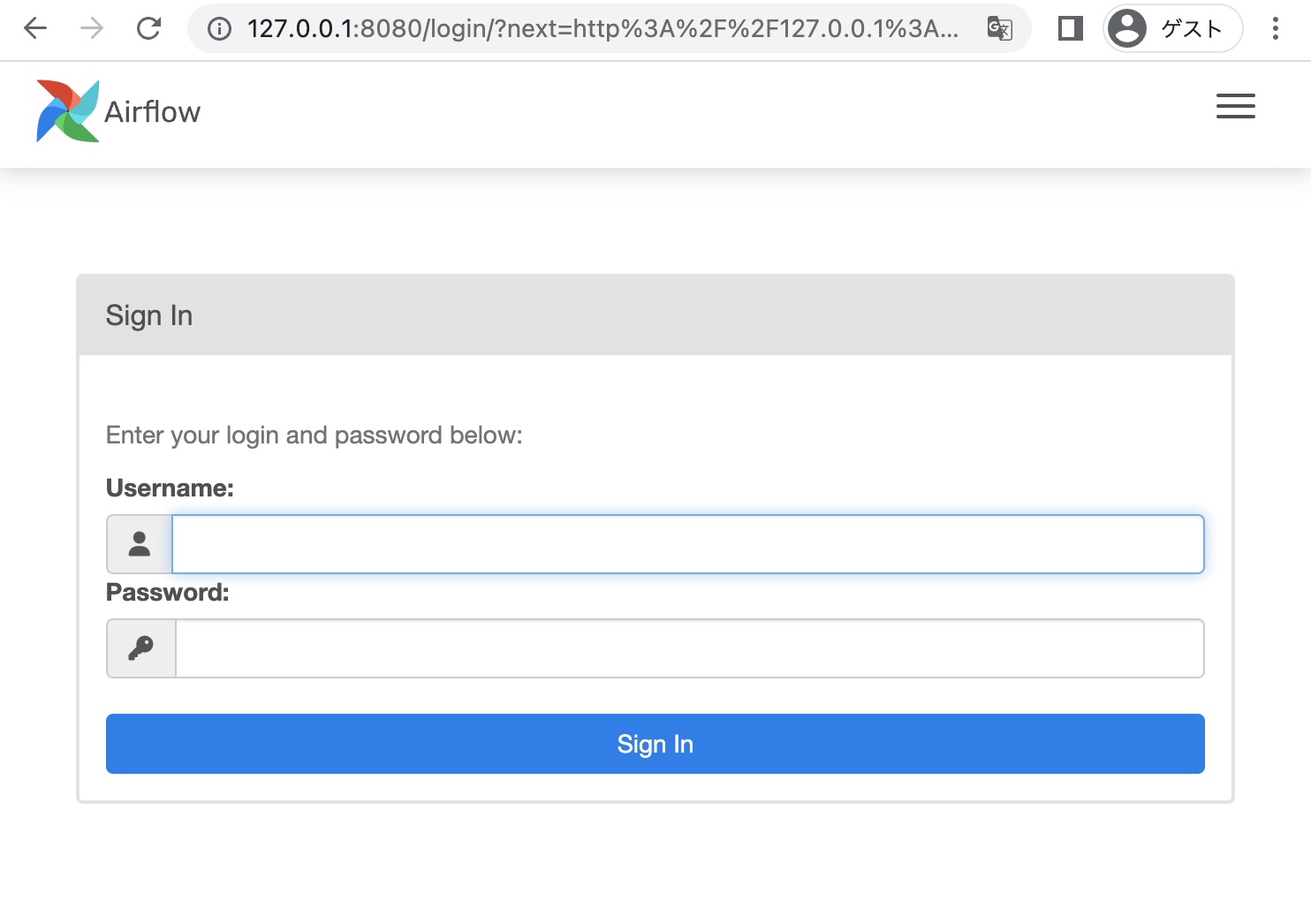
ブラウザで「http://127.0.0.1:8080」を開いてログインします。
プロジェクトディレクトリ直下の「dags」に下記の my_dag.py を追加しました。
色々書いてありますが、下の方で「bash_command=’echo “Hello, Airflow!”‘」となっている通り、Hello, Airflow! と表出するプログラムになっています。
# my_dag.py

from airflow import DAG
from airflow.operators.bash_operator import BashOperator
from datetime import datetime

default_args = {
    'owner': 'airflow',
    'start_date': datetime(2023, 1, 1),
}

with DAG(dag_id='my_dag', schedule_interval='@daily', default_args=default_args) as dag:
    task1 = BashOperator(
        task_id='task1',
        bash_command='echo "Hello, Airflow!"'
    )

    task1
% docker-compose down
% docker-compose up -d
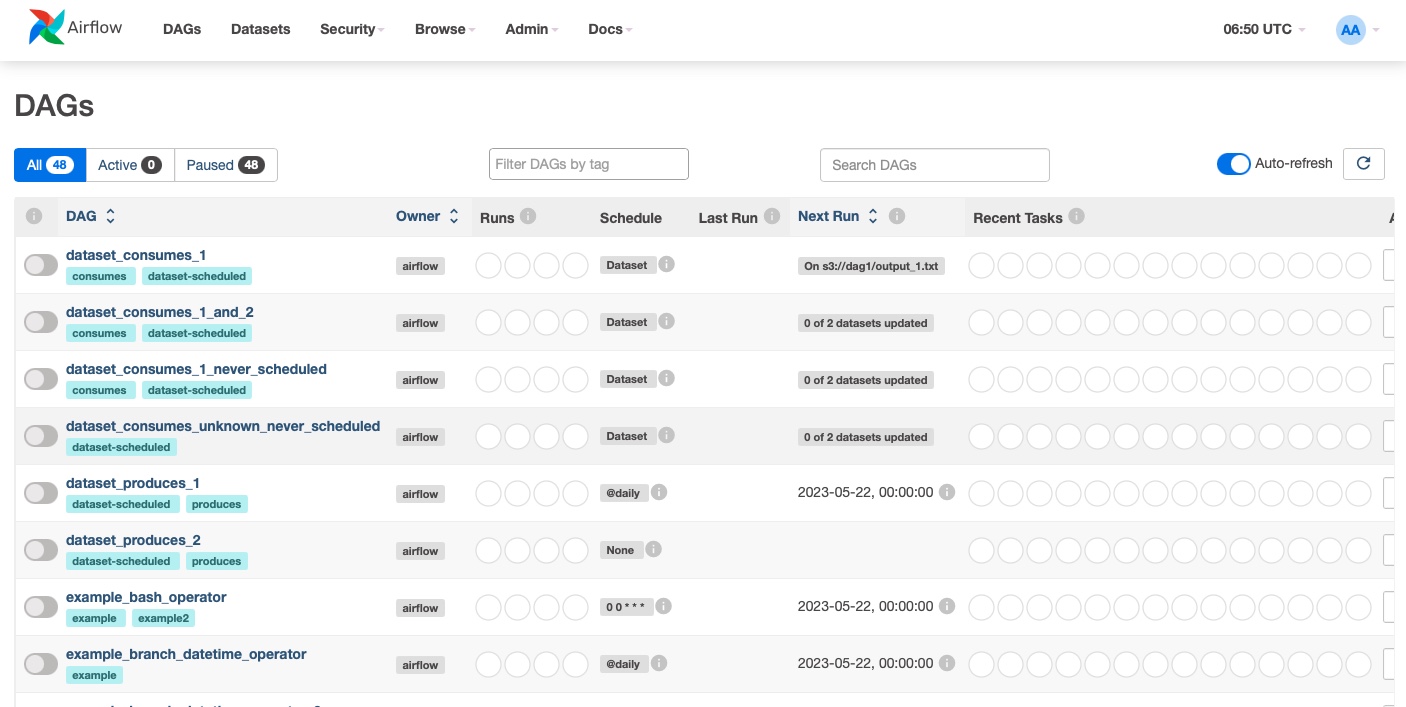
再度ブラウザで「http://127.0.0.1:8080」を開いてログインします。
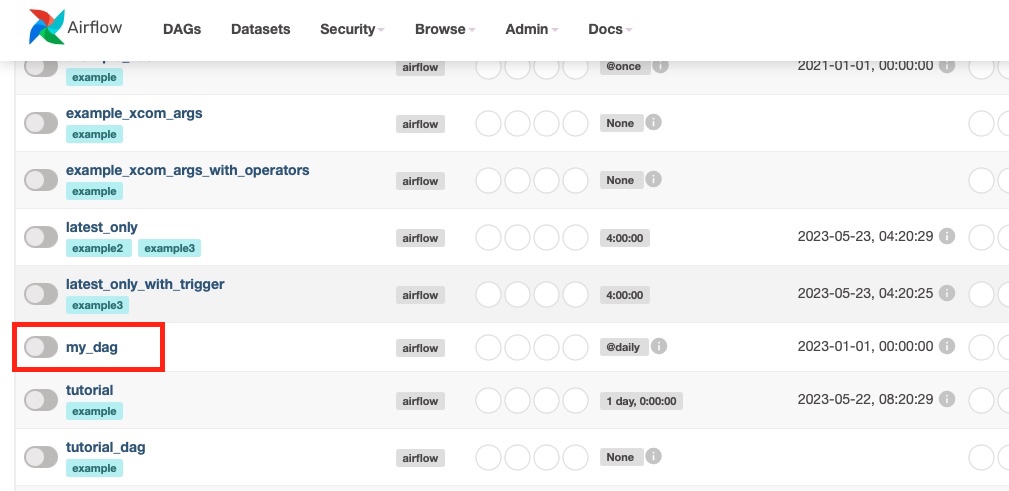
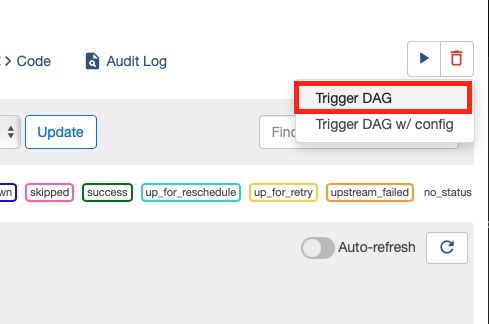
で、「my_dag」を実行してみます。
実行が完了したらログを見てみます。
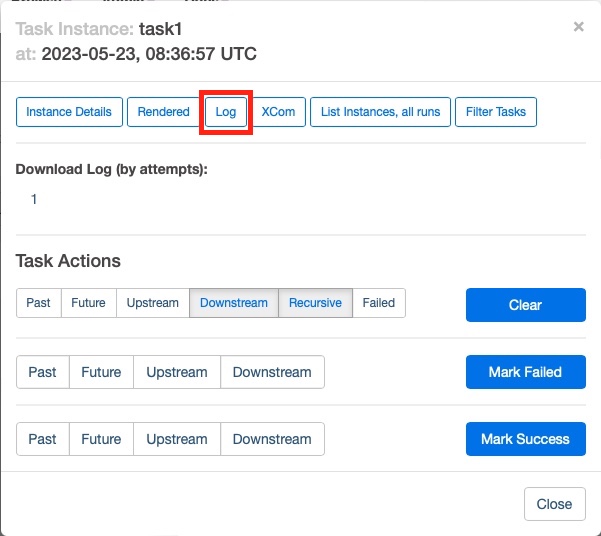
「Hello Airflow!」と表出されています。新たに追加した DAG がきちんと機能しています。
[2023-05-23, 08:36:59 UTC] {subprocess.py:75} INFO - Running command: ['/bin/bash', '-c', 'echo "Hello, Airflow!"']
[2023-05-23, 08:36:59 UTC] {subprocess.py:86} INFO - Output:
[2023-05-23, 08:36:59 UTC] {subprocess.py:93} INFO - Hello, Airflow!
[2023-05-23, 08:36:59 UTC] {subprocess.py:97} INFO - Command exited with return code 0
Docker を勉強する上で、とりあえず何パターンか作業をしたいと思い、いくつかやってきました。
で、次は既にある程度作り込まれているものをコンテナに入れてみようと思い、過去に自分が作った物で企業との面談等でも触れていただくことの多い「地下ぺディア」を使ってやってみることにしました。
ゴールとしてはとりあえず Docker イメージを run してブラウザで 127.0.0.1:8000 を開けば地下ぺディアが使える様にします。
そもそも「地下ぺディア」とは、自然言語処理の技術の一つである形態素解析を使って、ウィキペディアの記事をカイジっぽい文体で表示する Web アプリです。

フレームワークに Django、形態素解析には CaboCha を使用しており、任意のウィキペディアページの HTML ソースを解析、HTML 要素を崩さずに文体を変更し HTTP レスポンスとして返す様になっています。

元々は「ウィキペディア記事を元に自由ミルクボーイの漫才を作れたら。。」と思い立ったものの難しそうだったのでひとまず地下ぺディアという形にしたという経緯があります。
元々地下ぺディアのファイル群があるディレクトリに Dockerfile を作成します。
ベースイメージとしてはこちらの記事で作成した、Python で CaboCha を使える様にしたものを使います。
FROM docker_nlp:1.0

# ファイルを全てコピーし、requirements.txt で pip install を実施
WORKDIR /app
COPY . .
RUN pip3 install -r requirements.txt

# コンテナ外からのアクセスを可能にするため 0.0.0.0 番で runserver を実行
# 開発環境用の settings_dev.py を使用
CMD ["python3", "chikapedia/manage.py", "runserver", "0.0.0.0:8000","--settings=chikapedia.settings_dev"]
CMD の部分で Django の runserver を実行する様記述していますが、「0.0.0.0:8000」としてコンテナ外(つまりホストから)からのアクセスを受け付ける様にし、「–settings=chikapedia.settings_dev」で開発環境用の settings.py を使用できる様にしています。
あとはいつも通りです。
% docker build -t chikadocker:1.0 .
% docker run --name chikapedia-docker -p 8000:8000 -it chikadocker:1.0
Watching for file changes with StatReloader
Performing system checks...

System check identified no issues (0 silenced).

You have 18 unapplied migration(s). Your project may not work properly until you apply the migrations for app(s): admin, auth, contenttypes, sessions.
Run 'python manage.py migrate' to apply them.
May 19, 2023 - 02:22:08
Django version 3.2.4, using settings 'chikapedia.settings_dev'
Starting development server at http://0.0.0.0:8000/
Quit the server with CONTROL-C.
未 migrate のマイグレーションに関する警告が出ますが、地下ぺディアはデータベースを使わないので無視します。
run は無事完了し、Django のサーバーもコンテナ内「0.0.0.0:8000」で立ち上がりました。
果たして動くのか?ローカル PC のブラウザで 127.0.0.1:8000 にアクセスしてみます。

無事動きました!
バグ修正時の対応としては
といった流れで修正と確認を繰り返しました。
Docker の勉強がてら、Python での自然言語処理によく使われる CaboCha モジュールを使える Docker コンテナを作ったので手順を記しておきます。
イメージは Docker Hub のリポジトリに push してあります。
ちなみに CaboCha モジュールは単純に pip install で使える様なものではなく、条件付き確率場の自然言語処理向け実装である(CRF++)や、辞書ファイル(mecab-ipadic-neologd)などをインストールする必要があり面倒な印象です。
まず Dockerfile を作ります。というか今回ここが一番大事なところです。
以前↓の記事で VPS の Ubuntu に環境を構築したことがあるので、基本的にはその手順を流用しました。
そして ChatGPT の手を多分に借りました。
下記が Dockerfile の中身です。
# Dockerfile

# Use Ubuntu 20.04 as a base
FROM ubuntu:20.04

# Set environment variables
ENV DEBIAN_FRONTEND=noninteractive

# Update system packages
RUN apt-get update && apt-get install -y \
    build-essential \
    mecab \
    libmecab-dev \
    mecab-ipadic \
    git \
    wget \
    curl \
    bzip2 \
    python3 \
    python3-pip \
    sudo

# Install mecab-ipadic-neologd
WORKDIR /var/lib/mecab/dic
RUN git clone --depth 1 https://github.com/neologd/mecab-ipadic-neologd.git
RUN ./mecab-ipadic-neologd/bin/install-mecab-ipadic-neologd -n -y

# Install CRF++
WORKDIR /root
COPY CRF++-0.58.tar .
RUN tar xvf CRF++-0.58.tar && \
    cd CRF++-0.58 && \
    ./configure && make && make install && \
    ldconfig && \
    rm ../CRF++-0.58.tar

# Install CaboCha
WORKDIR /root
RUN FILE_ID=0B4y35FiV1wh7SDd1Q1dUQkZQaUU && \
    FILE_NAME=cabocha-0.69.tar.bz2 && \
    curl -sc /tmp/cookie "https://drive.google.com/uc?export=download&id=${FILE_ID}" > /dev/null && \
    CODE="$(awk '/_warning_/ {print $NF}' /tmp/cookie)" && \
    curl -Lb /tmp/cookie "https://drive.google.com/uc?export=download&confirm=${CODE}&id=${FILE_ID}" -o ${FILE_NAME} && \
    bzip2 -dc cabocha-0.69.tar.bz2 | tar xvf - && \
    cd cabocha-0.69 && \
    ./configure --with-mecab-config=`which mecab-config` --with-charset=UTF8 && \
    make && make check && make install && \
    ldconfig && \
    cd python && python3 setup.py install

# Install mecab-python3
RUN pip3 install mecab-python3

# Cleanup apt cache
RUN apt-get clean && rm -rf /var/lib/apt/lists/*

# Set default work directory
WORKDIR /root

CMD ["/bin/bash"]
上記 Dockerfile の中に「COPY CRF++-0.58.tar .」の記述があります。
このファイルはこちらのリンクから直接ダウンロードしておく必要があったので、ダウンロードして Dockerfile と同じディレクトリに配置しました。
% ls
CRF++-0.58.tar	Dockerfile
で、docker build でイメージを作成します。
% docker build -t python-cabocha:1.0 .
ここが成功すればあとはどうとでもなる気がします。
「docker run」でコンテナを作成するとそのままコンテナ内に入ります。
% docker run --name cabocha-python -it python-cabocha:1.0
root@21c443991ed9:~#
コンテナ内で Python を起動します。
root@21c443991ed9:~# python3
で、CaboCha を使ってみます。
>>> import CaboCha
>>> sentence = 'エンゼルスの大谷翔平投手が「3番・DH」でスタメン出場。前日に続き4打数無安打と2試合連続ノーヒットとなった。'
>>> c = CaboCha.Parser('-d /usr/lib/x86_64-linux-gnu/mecab/dic/mecab-ipadic-neologd')
>>> print(c.parseToString(sentence))
         エンゼルスの-D
         大谷翔平投手が---D
            「3番・DH」で-D
             スタメン出場。---------D
                       前日に-D     |
                           続き-----D
                    4打数無安打と---D
              2試合連続ノーヒットと-D
                             なった。
EOS

>>>
無事使えました!
勉強がてら、Django を Docker イメージに入れてみます。
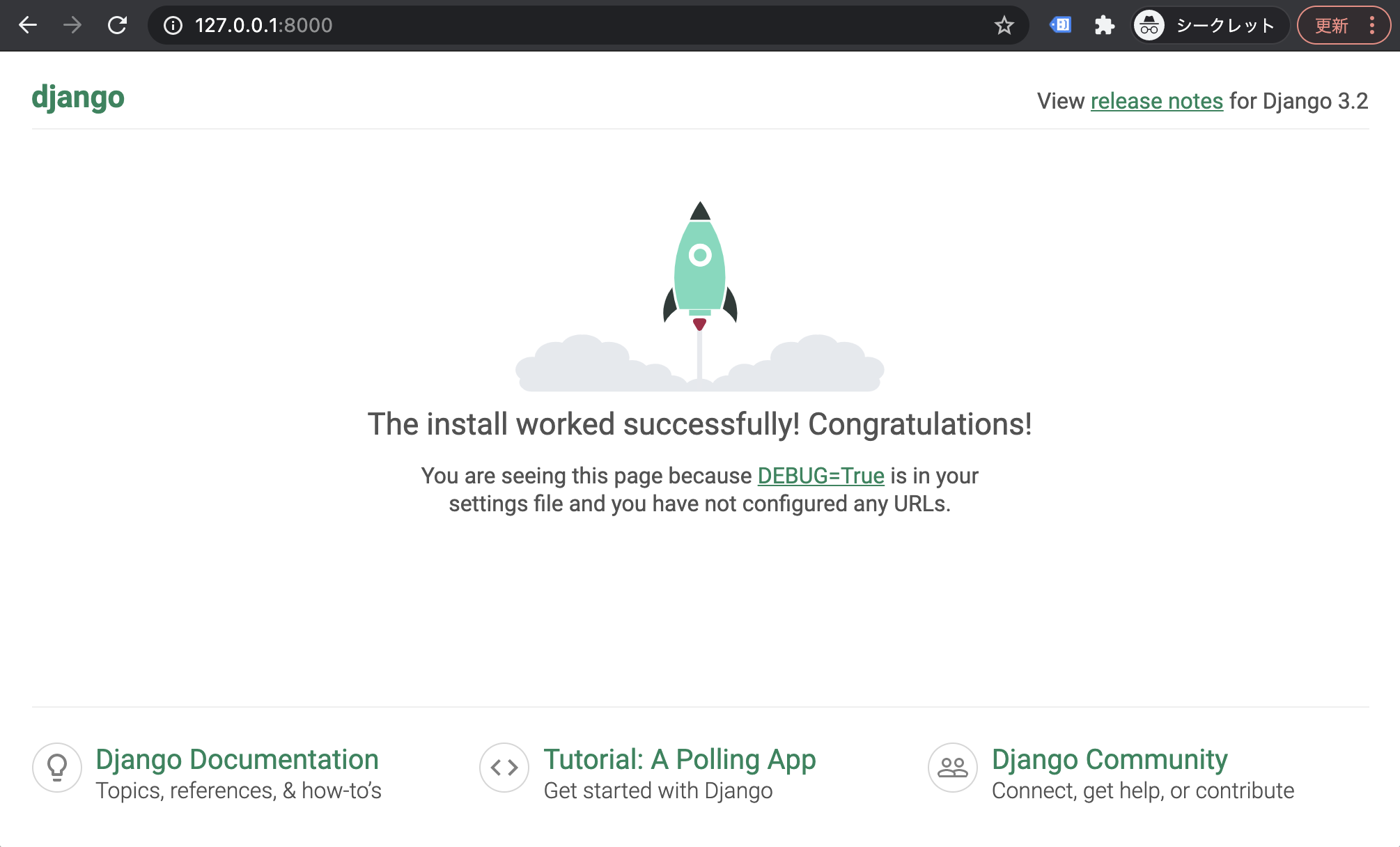
Django は最低限の部分のみで、ロケットの画面が表示できれば OK とします。
% python3 -m venv venv
% source venv/bin/activate
(venv) % pip install django
とりあえず最低限、あのロケットの画面の表示だけする様にします。
(venv) % django-admin startproject core
(venv) % python core/manage.py runserver
(venv) % ls
core                    venv
一旦 Django はここまで。
(venv) % pip freeze > requirements.txt
(venv) % ls
core                    requirements.txt        venv
# requirements.txt
asgiref==3.6.0
backports.zoneinfo==0.2.1
Django==4.2.1
sqlparse==0.4.4
Django と requirements.txt を作ったところで Docker の作業へ移っていきます。
今回は「python:3.8.3-slim-buster」のイメージをベースにして Dockerfile を作成します。
FROM python:3.8.3-slim-buster

WORKDIR /app

COPY requirements.txt .
RUN pip3 install -r requirements.txt

COPY . .

# コンテナ外からのアクセスを可能にするため 0.0.0.0 番で runserver を実行
CMD ["python3", "manage.py", "runserver", "0.0.0.0:8000"]
「COPY . .」の部分で、ローカルの作業フォルダ配下を全てコンテナの作業フォルダ(/app)にコピーします。この部分で Django の関連ファイルも全てコピーされます。
(venv) % ls
Dockerfile              core                    requirements.txt        venv
/venv 配下のみ、次の .dockerignore で除外設定をします。
「venv」配下をイメージに含めない様「.dockerignore」に追加します。
# .dockerignore
venv
(venv) % docker build -t dockerdjango:1.0 .
(venv) % docker images
REPOSITORY     TAG       IMAGE ID       CREATED          SIZE
dockerdjango   1.0       9c4fe787bc1d   45 seconds ago   205MB
「docker run」を実行します。
(venv) % docker run --name dj_dk -p 8000:8000 dockerdjango:1.0
下記を実行してブラウザで「127.0.0.1:8000」へアクセスします。
とりあえずロケットの画面は表示されました。
「docker exec」でコンテナの中身を確認します。
(venv) % docker exec -it dj_dk bash
root@40ac730cceba:/app# ls
Dockerfile  core  requirements.txt
「.dockerignore」で指定した venv はきちんと除外されています。
Docker Hub で公開されているイメージを元に、自作の Python プログラムを含めて Docker イメージを作成する工程をメモしておきます。
作成したイメージからコンテナを作成、コンテナ内で Python プログラムを実行するところまでカバーしています。
前提:Mac で Docker Desktop をインストール済み
まずは下準備として Python 仮想環境をローカル環境に作り、コンテナ内で実行したい Python プログラムを用意します。
とりあえず手持ちのプログラム「amazon_scraping.py」を使いまわします。仮想環境と横並びで配置しています。
% ls
amazon_scraping.py        venv
Amazon の商品リストページの情報をスクレイピングして CSV ファイルにアウトプットするプログラムです。
# amazon_scraping.py

from datetime import date
from time import sleep
import csv
import requests
from bs4 import BeautifulSoup


domain_name = 'amazon.co.jp'
search_term = 'iPhone 12'

url = f'https://www.{domain_name}/s?k={search_term}'.replace(' ','+')
urls = []
for i in range(1,2):
    urls.append(f'{url}&page={i}')

headers = {
    'User-Agent':'Mozilla/5.0 (Macintosh; Intel Mac OS X 10_15_7) AppleWebKit/605.1.15 (KHTML, like Gecko) Version/16.0 Safari/605.1.15',
    'Host':f'www.{domain_name}'
}

# Request each URL, convert into bs4.BeautifulSoup
soups = []
for url in urls:
    response = requests.get(url,headers=headers)
    soup = BeautifulSoup(response.content, 'html.parser')
    soups.append(soup)
    sleep(0.5)

# Convert delivery date
def format_delivery_date(date_string):
    if len(date_string) == 0:
        return None

    if date_string[-2:] == '曜日':
        date_string = date_string[:-3]

    if date_string[0:3] == '明日中' and date_string[-4:] == '1月/1':
        date_string = date_string.replace('明日中','2024/')

    elif date_string[0:3] == '明日中':
        date_string = date_string.replace('明日中','2023/')

    date_string = date_string.replace('月/','/')

    return date_string

# Extract data from bs4.BeautifulSoup
def scan_page(soup, page_num):
    products = []

    for product in soup.select('.s-result-item'):
        asin = product['data-asin']

        a_spacing_top_small = product.select_one('.a-spacing-top-small')
        a_section_list = product.select('.sg-row .a-section')

        for a_section in a_section_list:
            price_elem = a_section.select_one('.a-price .a-offscreen')
            if price_elem:
                price = int(price_elem.get_text().replace('¥', '').replace(',',''))
                continue

            delivery_date_by = a_section.select_one('span:-soup-contains("までにお届け")')
            if delivery_date_by:
                delivery_date = format_delivery_date(a_section.select('span')[1].text)
                continue

        if asin:
            products.append({'asin': asin, 'price': price, 'delivery_date': delivery_date, 'page_number': page_num})

    return products

for page_num, soup in enumerate(soups):
    dict_list = scan_page(soup, page_num+1)
    fieldnames = dict_list[0].keys()

    with open('output.csv', 'w', newline='') as csvfile:
        writer = csv.DictWriter(csvfile, fieldnames=fieldnames)
        writer.writeheader()
        writer.writerows(dict_list)

print('csv file created')
標準ではないモジュールとして、requests と beautifulsoup4 を pip でインストールします。
(venv) % pip install requests
(venv) % pip install beautifulsoup4
次に requirements.txt を作ります。
% pip freeze > requirements.txt
(venv) % ls
amazon_scraping.py      requirements.txt        venv
中身は下記の様になっています。
# requirements.txt
beautifulsoup4==4.12.2
certifi==2023.5.7
charset-normalizer==3.1.0
idna==3.4
requests==2.30.0
soupsieve==2.4.1
urllib3==2.0.2
「venv」配下は必要ないため、イメージに含めない様「.dockerignore」に追加します。
# .dockerignore
venv
とりあえず Python プログラムの下準備はここまでです。
仮想環境のディレクトリと横並びで Dockerfile というファイルを作成します。
ubuntu:20.04 のイメージを元に、Python および使用するモジュールをインストールする様記述します。
# Dockerfile
FROM ubuntu:20.04

#apt の最新化の後 python と pip をインストール
RUN apt update
RUN apt install -y python3.9
RUN apt install -y python3-pip

# 作業ディレクトリを /var に移動
WORKDIR /var

# ローカル環境の amazon_scraping.py をコンテナへコピー
COPY amazon_scraping.py .

# ローカル環境の requirements.txt をコンテナへコピーし、中身を pip install
COPY requirements.txt .
RUN python3.9 -m pip install -r requirements.txt
中身は上記の通りで、ubuntu:20.04 のイメージを元に、ファイルのコピーやインストールをおこないます。
「ls」を実行すると下記の状態です。
(venv) % ls
Dockerfile              amazon_scraping.py      requirements.txt        venv
「docker build」コマンドを実行します。
% docker build -t docker_amzn:1.0 .
[+] Building 239.4s (13/13) FINISHED
 => [internal] load build definition from Dockerfile                                                                                         0.0s
 => => transferring dockerfile: 253B                                                                                                         0.0s
 => [internal] load .dockerignore                                                                                                            0.0s
 => => transferring context: 2B                                                                                                              0.0s
 => [internal] load metadata for docker.io/library/ubuntu:20.04                                                                              0.9s
 => [1/8] FROM docker.io/library/ubuntu:20.04@sha256:db8bf6f4fb351aa7a26e27ba2686cf35a6a409f65603e59d4c203e58387dc6b3                        4.2s
 => => resolve docker.io/library/ubuntu:20.04@sha256:db8bf6f4fb351aa7a26e27ba2686cf35a6a409f65603e59d4c203e58387dc6b3                        0.0s
 => => sha256:db8bf6f4fb351aa7a26e27ba2686cf35a6a409f65603e59d4c203e58387dc6b3 1.13kB / 1.13kB                                               0.0s
 => => sha256:b795f8e0caaaacad9859a9a38fe1c78154f8301fdaf0872eaf1520d66d9c0b98 424B / 424B                                                   0.0s
 => => sha256:88bd6891718934e63638d9ca0ecee018e69b638270fe04990a310e5c78ab4a92 2.30kB / 2.30kB                                               0.0s
 => => sha256:ca1778b6935686ad781c27472c4668fc61ec3aeb85494f72deb1921892b9d39e 27.50MB / 27.50MB                                             2.9s
 => => extracting sha256:ca1778b6935686ad781c27472c4668fc61ec3aeb85494f72deb1921892b9d39e                                                    0.9s
 => [internal] load build context                                                                                                            0.0s
 => => transferring context: 2.67kB                                                                                                          0.0s
 => [2/8] RUN apt update                                                                                                                    62.4s
 => [3/8] RUN apt install -y python3.9                                                                                                      35.9s
 => [4/8] RUN apt install -y python3-pip                                                                                                   130.6s
 => [5/8] COPY requirements.txt .                                                                                                            0.0s
 => [6/8] RUN python3.9 -m pip install -r requirements.txt                                                                                   2.7s
 => [7/8] WORKDIR /var                                                                                                                       0.0s
 => [8/8] COPY /venv/amazon_scraping.py .                                                                                                    0.0s
 => exporting to image                                                                                                                       2.6s
 => => exporting layers                                                                                                                      2.6s
 => => writing image sha256:9f3dfca1f57b234294ed4666ea9d6dc05f7200cf30c6c10bbebf83834ae6e457                                                 0.0s
 => => naming to docker.io/library/docker_amzn:1.0                                                                                           0.0s
%
数分かかりましたが無事完了。「docker images」コマンドで作成済みのイメージを確認できます。
% docker images
REPOSITORY    TAG       IMAGE ID       CREATED          SIZE
docker_amzn   1.0       9f3dfca1f57b   59 seconds ago   473MB
「docker run」コマンドで Docker イメージからコンテナを作成します。
コンテナ外からのアクセスはしないのでポートフォワーディング(-p オプション)は指定していません。
% docker run --name amzn_scraper -it -d docker_amzn:1.0
47caefa69121c3323c7379f448952003001817e937ffb3232d4564fce9b3c01c
% docker exec -it amzn_scraper bash
root@47caefa69121:/var#
「ls」を実行すると、Dockerfile で COPY の記述をした amazon_scraping.py や requirements.txt がコンテナに存在することを確認できます。
root@cd3f7f913010:/var# ls
amazon_scraping.py  backups  cache  lib  local  lock  log  mail  opt  requirements.txt  run  spool  tmp
そのままコンテナ内で Python プログラムを実行してみます。
root@cd3f7f913010:/var# python3.9 amazon_scraping.py
csv file created
ファイルが作成された様です。
root@cd3f7f913010:/var# ls
amazon_scraping.py  backups  cache  lib  local  lock  log  mail  opt  output.csv  requirements.txt  run  spool  tmp
「head」コマンドで中身も確認。きちんと作成されている様です。
root@cd3f7f913010:/var# head output.csv
asin,price,delivery_date,page_number
B0BDHLR5WP,164800,,1
B0BDHYRRQX,134800,,1
B09M69W9KR,234801,,1
B09M68Y2HZ,162800,,1
B0928MGLCR,50025,,1
B0928LZ4HD,67980,2023/5/19,1
B08B9WMNSS,49490,,1
B0928L4D5H,92430,,1
B08B9GTC1T,78695,,1
# exit
exit
% docker stop amzn_scraper
amzn_scraper
% docker ps -a
CONTAINER ID   IMAGE             COMMAND       CREATED          STATUS                     PORTS     NAMES
47caefa69121   docker_amzn:1.0   "/bin/bash"   13 minutes ago   Exited (0) 2 seconds ago             amzn_scraper
% docker rm amzn_scraper
amzn_scraper
% docker ps -a
CONTAINER ID   IMAGE     COMMAND   CREATED   STATUS    PORTS     NAMES